 Code Inspector
Custom Target Link
Target lets you open a generated URL when a feature is triggered, commonly used for GitHub/GitLab source links.
Quick Start
Set a URL template with behavior.target:
js
codeInspectorPlugin({
  behavior: {
    target: 'https://github.com/user/repo/blob/main/{file}#L{line}',
  },
}),
Available placeholders:
{file}: file path{line}: line number{column}: column number
Trigger Methods
Note
Methods 1 and 2 require Open Target to be enabled. Press hotKeys + Z to check the current state. 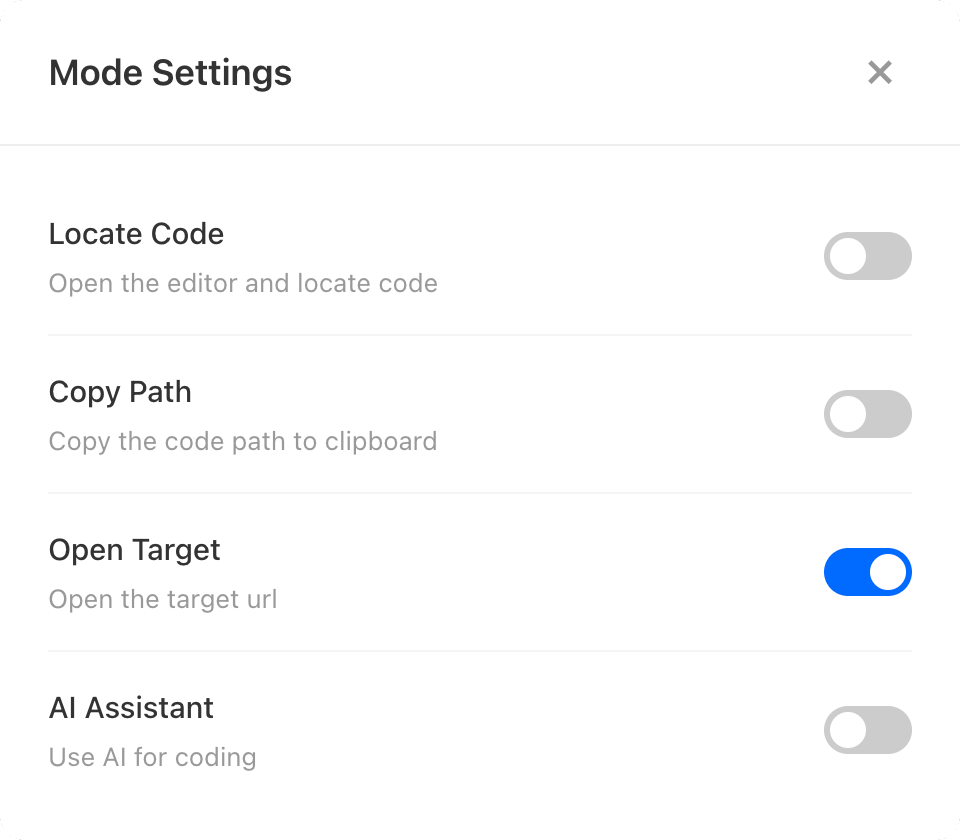
Method 1: HotKeys + Left Click
Hold the combination key (Option + Shift on Mac, Alt + Shift on Windows), move to an element, and left click to open the target URL.
Method 2: Switch + Left Click
When showSwitch: true and the switch is on, move to an element and left click to open the target URL.
Method 3: HotKeys + Key 3
Hold the combination key, move to the target element, then press 3 to open the target URL quickly.
This method works even when Open Target is turned off.