 Code Inspector
Feature Switch
Press hotKeys + Z (for example, Option + Shift + Z) to open the runtime switch panel and toggle locate / copy / target / ai quickly.
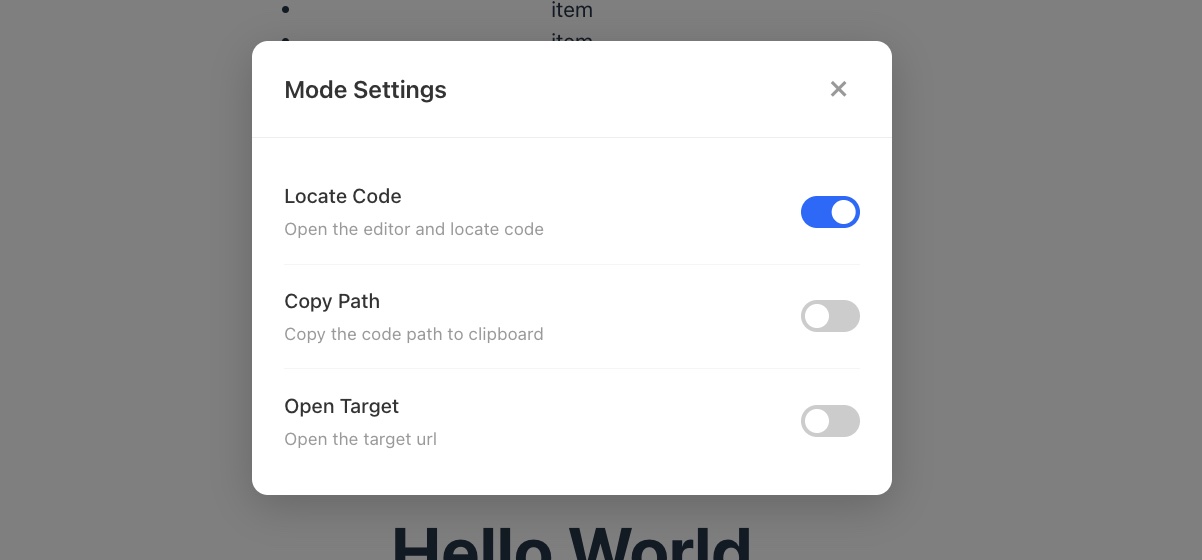
Default Feature
Set default active feature via behavior.defaultAction:
js
codeInspectorPlugin({
  behavior: {
    defaultAction: ['locate', 'copy'], // a single value is also supported
  },
}),
An array activates all available features in the array. If defaultAction is omitted or a single value is provided, the first available feature is activated in the order locate > copy > target > ai.
When multiple behaviors are available in behavior, the settings panel allows multiple features to be selected. With only one available behavior, it remains single-select.
Customize Panel Shortcut Key
The panel key defaults to Z, and can be customized via modeKey:
js
codeInspectorPlugin({
  modeKey: 'x',
})
Then use hotKeys + X to open the panel.